Selk · The job app for small contractors

Run your jobs.
Not paperwork.

Estimates, schedule, crew, hours, invoices and card payments in one beautifully simple app. Made for crews of 1 to 10 — by an electrician who got tired of apps that cost too much and do too much.

Start your free trial See how it works ›

14 days free · iPhone and Android · Cancel anytime

Need one today? Free, no sign-up: Make a free invoice › Make a free estimate ›
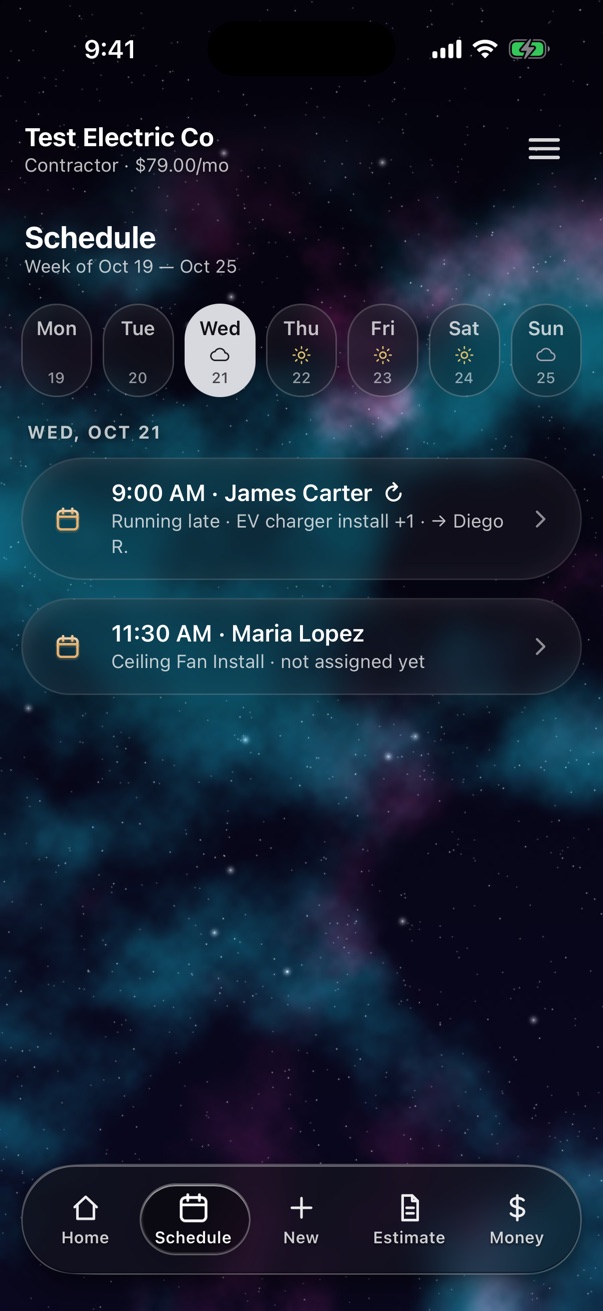
Schedule with weather
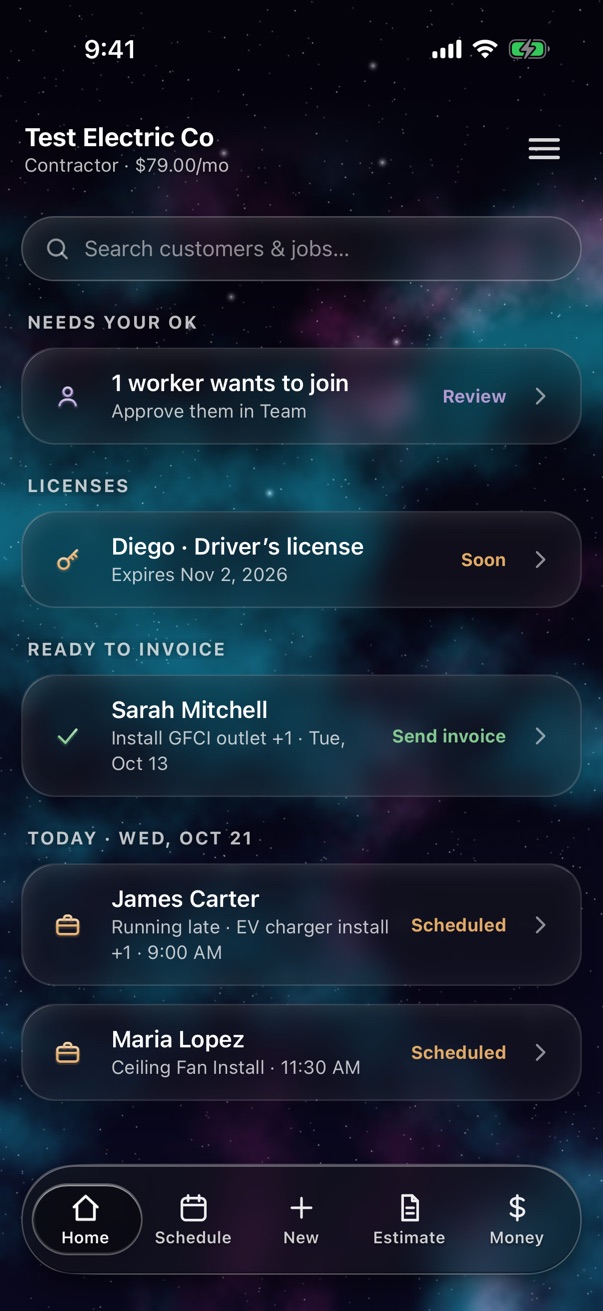
Selk home screen
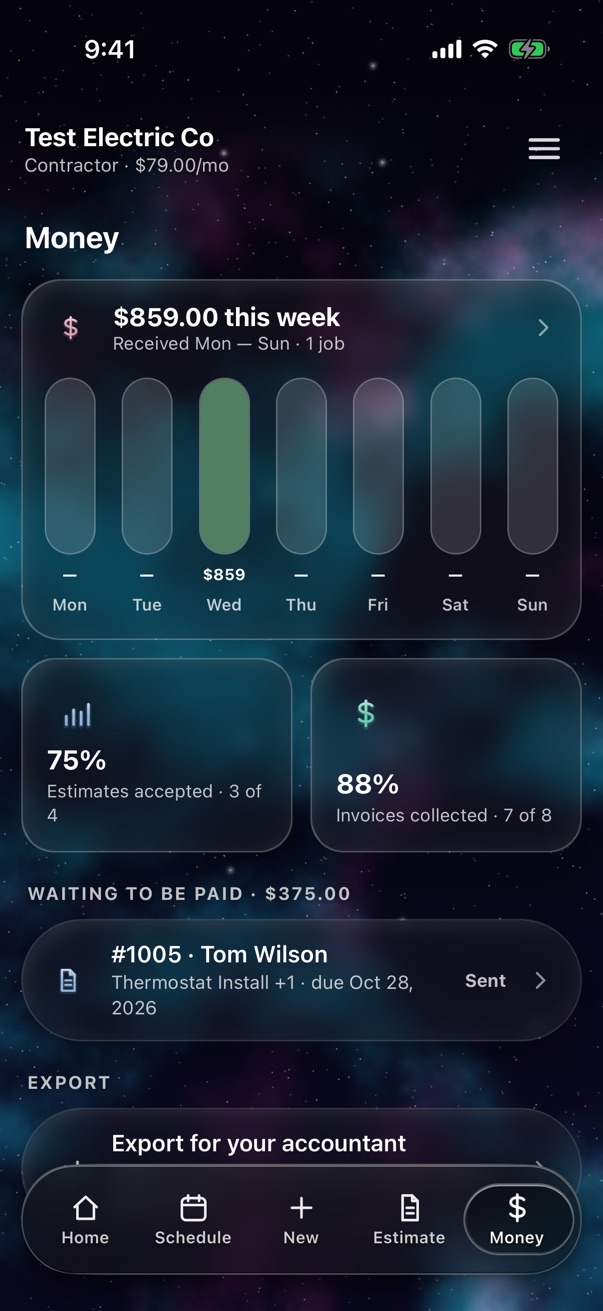
Money received this week

One flow. Start to paid.

Every job, the same simple path.

New job›Estimate›Schedule›Crew does it›Invoice›Paid

Try Selk right here

Tap around. It’s the real app.

Every screen below is from Selk. Tap the tabs, open a job, an estimate, the menu — no download needed.

Selk screen
Menu

Made for the trades

Your work, one tap at a time.

Move your finger (or mouse) over a drawing — or just tap it.

Every job, organized

Open the panel — each breaker is a job, scheduled and assigned.

Tap to open

Van stock you can trust

Your crew sees what’s in the van and updates the count.

Tap to open

All your tools in one app

Estimates, invoices, schedule, crew and hours.

Tap to open

Get paid faster

Send the invoice from your phone. Paid by card goes straight to your bank.

Tap to stamp

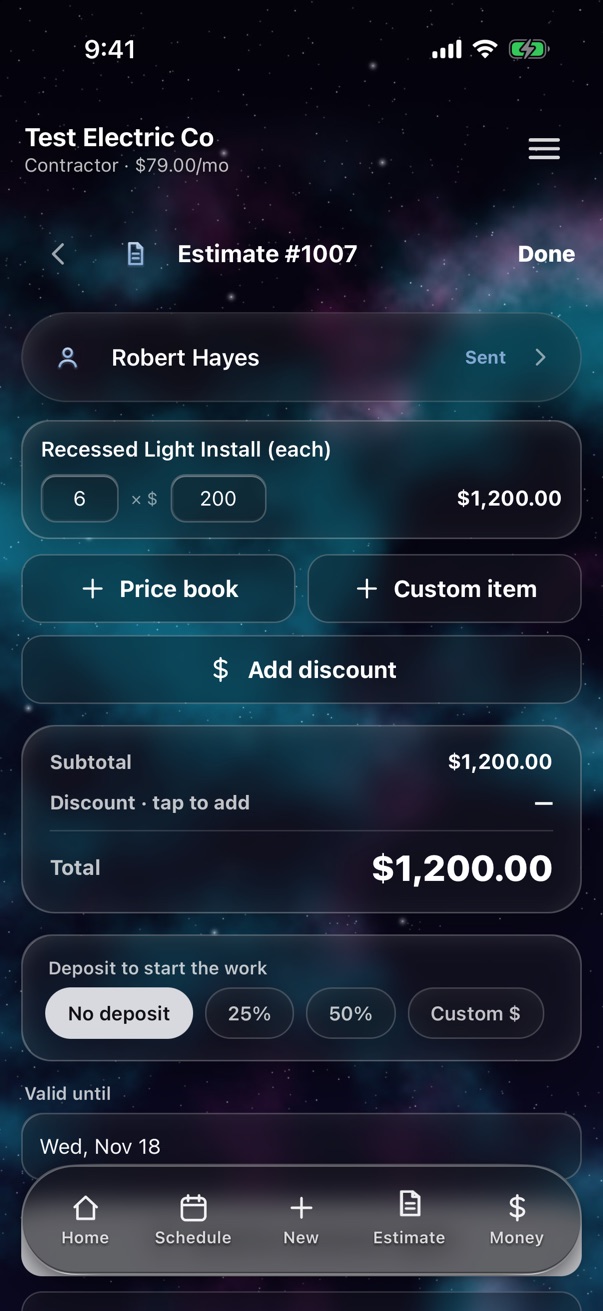
Estimates

Quote it before you leave the driveway.

Pick work from your own price book, change a quantity, and send a clean PDF by text, email or WhatsApp — straight from your phone.

  • Price book. Your items, your prices. Long-press to put favorites on top.
  • Approve with a tap. Your customer taps Approve on the estimate and types their name — you get a notification.
  • Quantities that make sense. 30 outlets is one line, not 30.
  • Your logo on every estimate and invoice.
  • Agreed on site? Skip the estimate and schedule it right away.
  • Fix anything. Tap a line to change it, swipe it away to delete it.
Estimate editor

Voice everywhere

Gloves on? Just talk.

There's a mic on every field. Say the customer's name, the work, the note — Selk types it. Search your clients by voice, add price book items by voice.

🎙️

Every field

Names, addresses, notes, custom items — tap the mic and speak.

🔎

Find anyone fast

Say a client's name in the search and they're right there, even with hundreds of clients.

⚡️

Built for the job site

Big buttons, clear text, works with dirty gloves and bright sun.

Schedule

Know the week. And the weather.

Swipe through weeks and see every job by day — with a real forecast for your area right on the calendar. Rain on Tuesday? Move the outdoor work to Thursday.

  • Crews. Save your regular crews and send the whole team in one tap.
  • Repeat jobs. Weekly, every 2 weeks or monthly.
  • Today on Home. The day's jobs are waiting when you open the app.
Weekly schedule with weather

Your crew

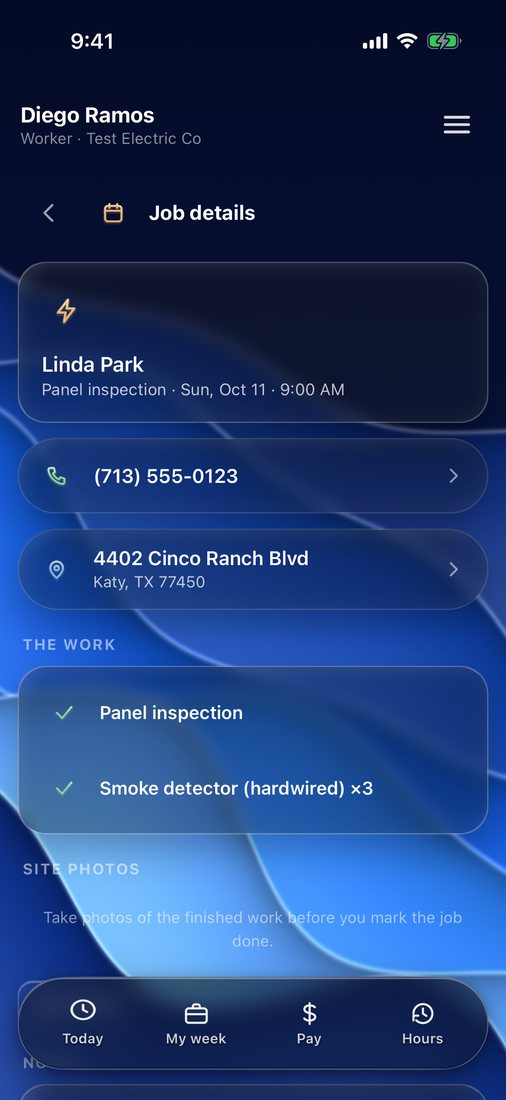
They see the job. Not your prices.

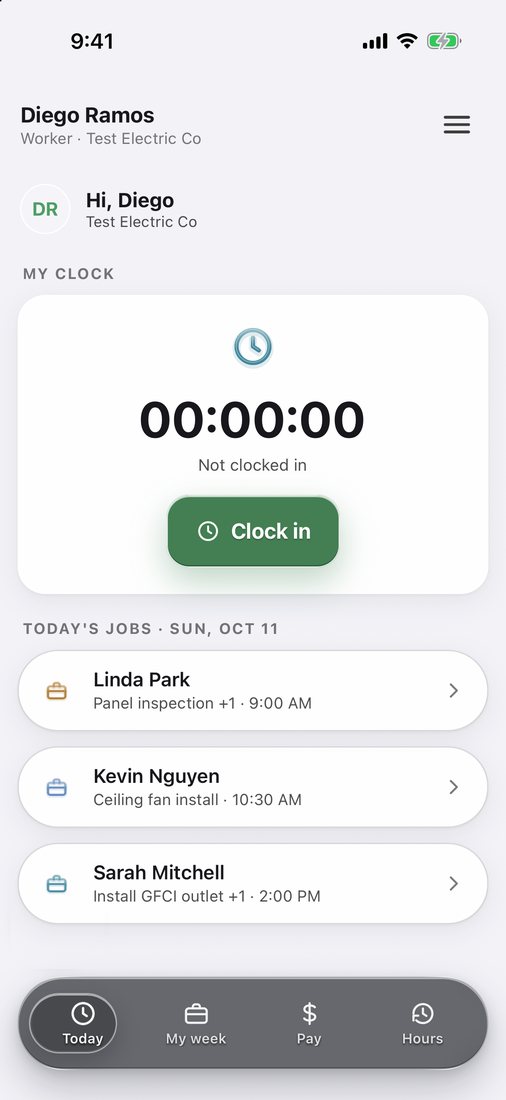
Workers get a free app with today's jobs, the address, the work and your notes. They clock in, add photos, and mark it done. You see everything — they see only what they need.

Worker app — clock in and today's jobs
Worker app — job details without prices
⏱️

Clock in, clock out

Weekly or biweekly hours and gross pay at each worker's rate. Edits are always marked.

📍

Smart arrival alerts

Their phone tells you the minute they reach the job — no live map, no watching the road. Just “arrived · 8:02 AM”.

📸

Photos and notes

Before and after photos and notes from the site land in the job file. Open any photo full screen and zoom in.

🌴

Time off

Workers ask for days off in the app. You approve or decline in one tap.

Notifications

Know the moment it happens.

Your worker arrived. The job is done. The customer approved. The invoice is paid. Selk tells you — no phone calls, no chasing.

Workers get notified too: a new job, a job moved, and answers to time off.

Team

Add a worker in a minute.

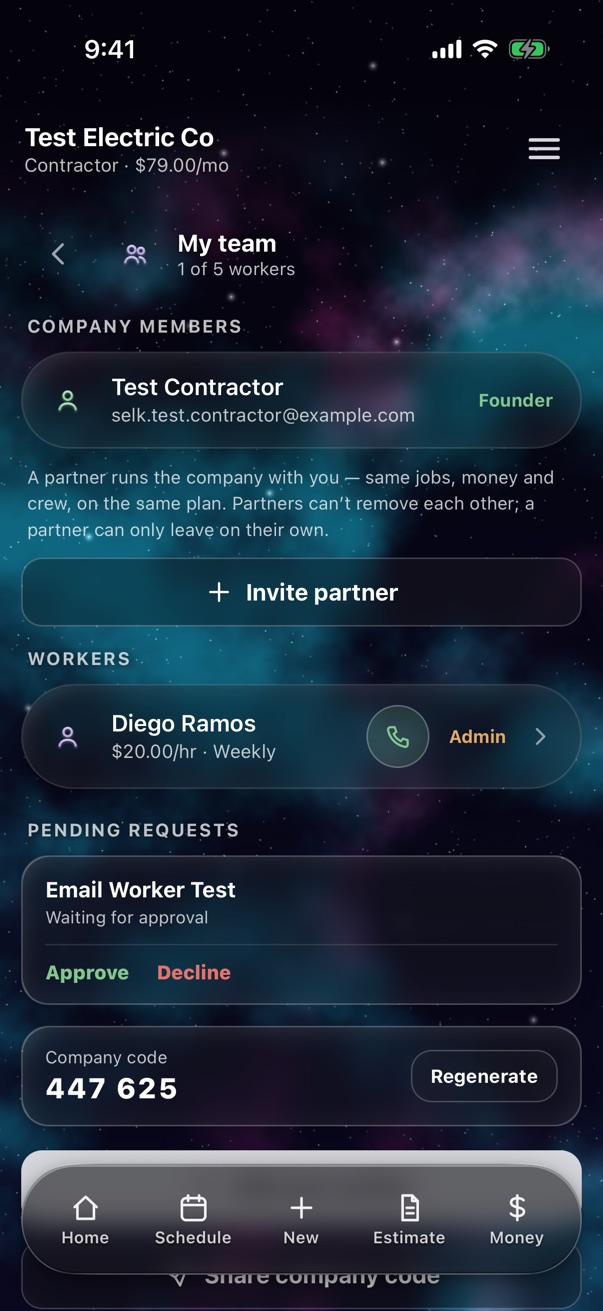
Enter their name, phone and rate. Selk texts them your company code — they join, you approve, and their pay is already set up.

  • One-tap call. Every worker has a call button right on the list.
  • Partners. Run the company together — same access, one plan.
  • Admins. Let a trusted worker plan the week and assign the crew — without seeing prices.
  • Free for workers. Always.
Worker details

Crew records

Licenses on file. Reminders before they expire.

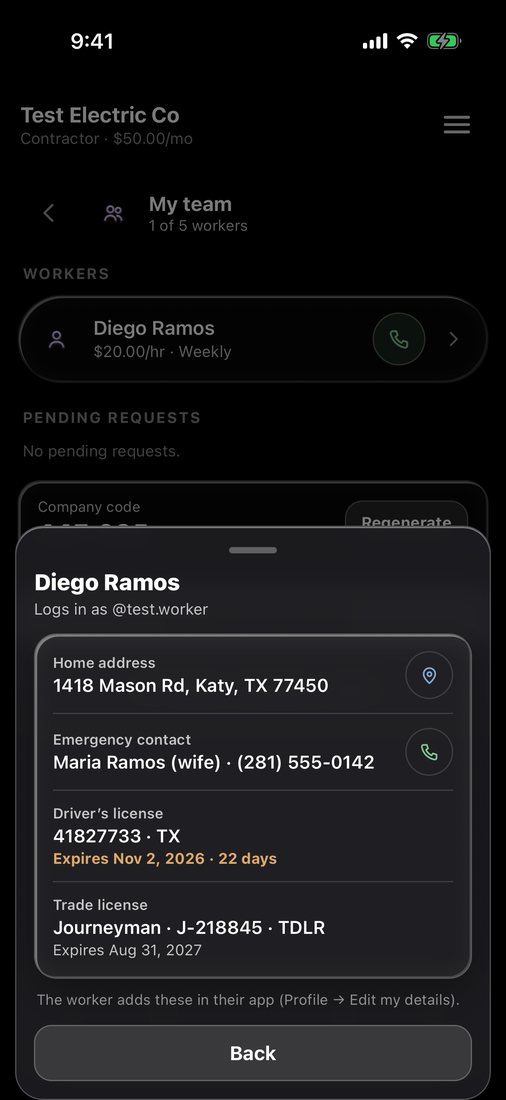
Each worker adds their home address, an emergency contact, their driver’s license and their trade license — Apprentice, Journeyman or Master, with the number and who issued it.

  • 30-day heads-up. Selk warns you on Home before any license runs out.
  • Emergency contact one tap away, right from Team.
  • Private. Only you and that worker can see it.
Worker contact and licenses

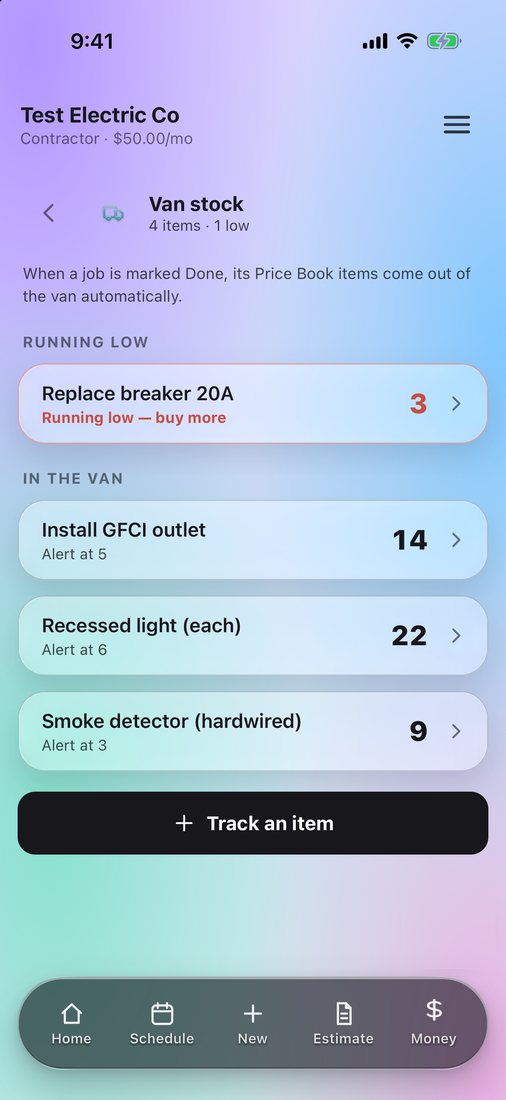
Van stock

Never run out on a job again.

Tell Selk what's in the truck. When a job is marked done, its parts come out automatically — and you get a heads-up before you run low.

  • Low stock alert on your Home screen.
  • Bought more? Add it back in one tap.
Van stock

Money

See what came in. Chase what didn't.

A week of payments at a glance — green for strong days, red for slow ones. Swipe back through past weeks and months.

  • Your way to get paid. Card, cash, Zelle, check or transfer — deposits and partial payments included.
  • Tax that fits your work. On the whole job, on materials only, or a fixed amount.
  • Your Zelle and bank details printed on every invoice.
Money tab

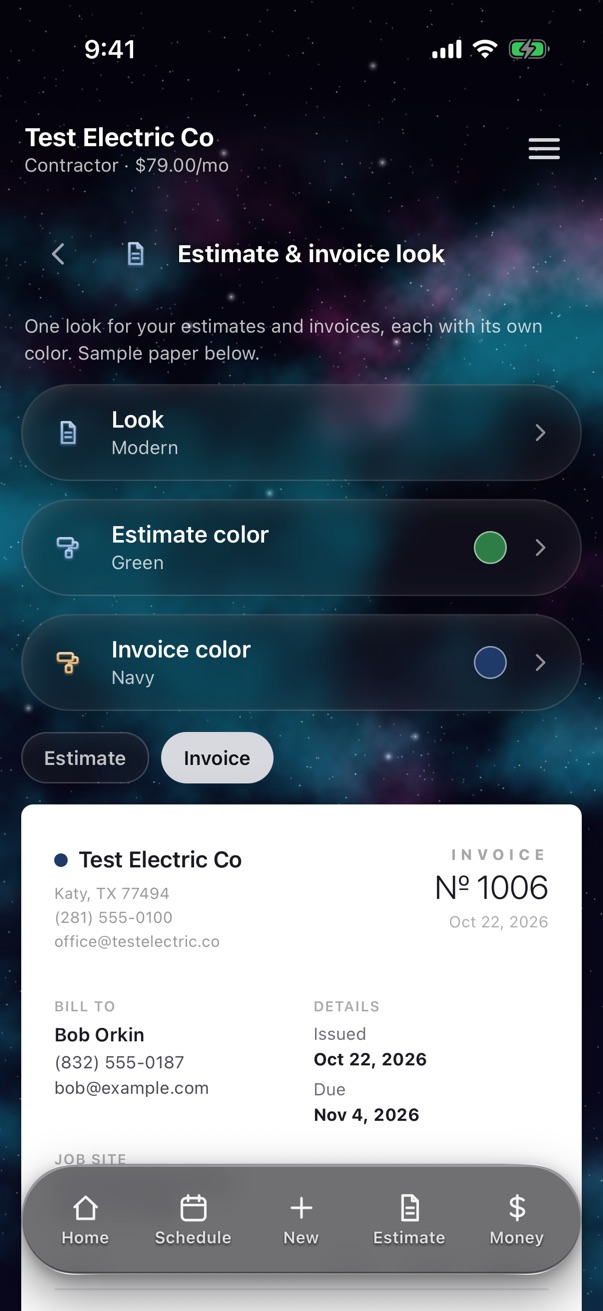
QuickBooks + your look

Your books, done for you.

Connect QuickBooks Online once. Customers, invoices, payments and job expenses — with the receipt pictures — go there by themselves. No typing it twice for your accountant.

  • Five looks for your estimates and invoices — Classic, Clean, Bold, Modern and Traditional.
  • 24 colors. Give estimates one color and invoices another, so customers tell them apart.
  • Export anytime. Money, hours, clients and your price book as a spreadsheet.
Estimate and invoice look

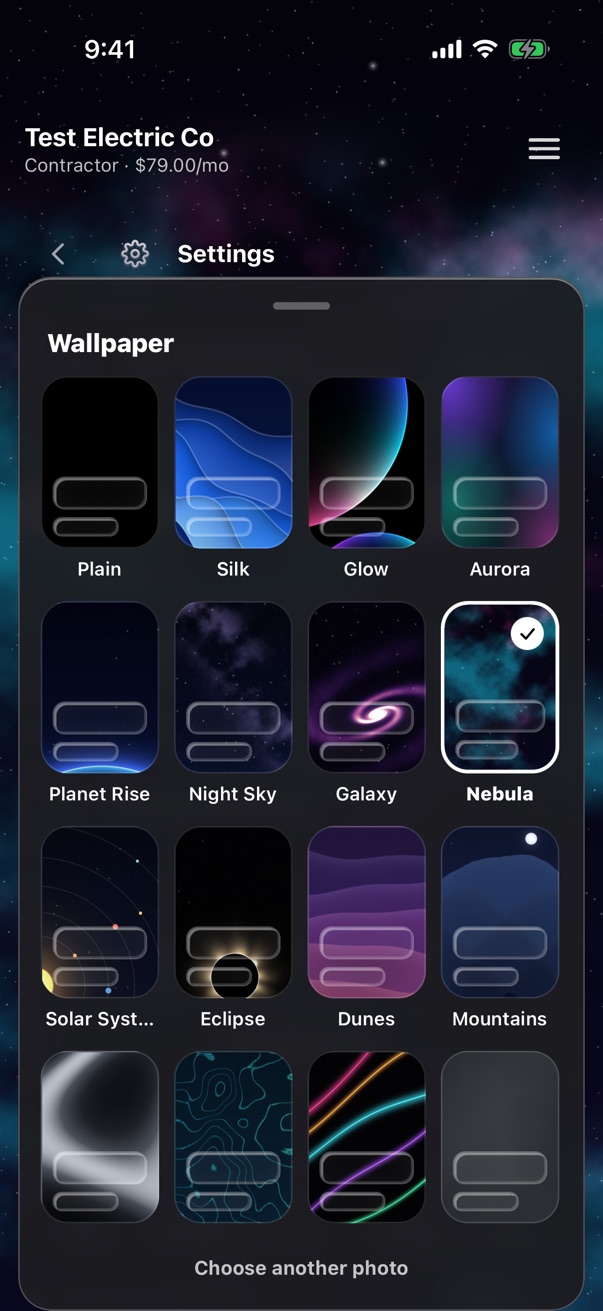
Make it yours

Light, dark, or out of this world.

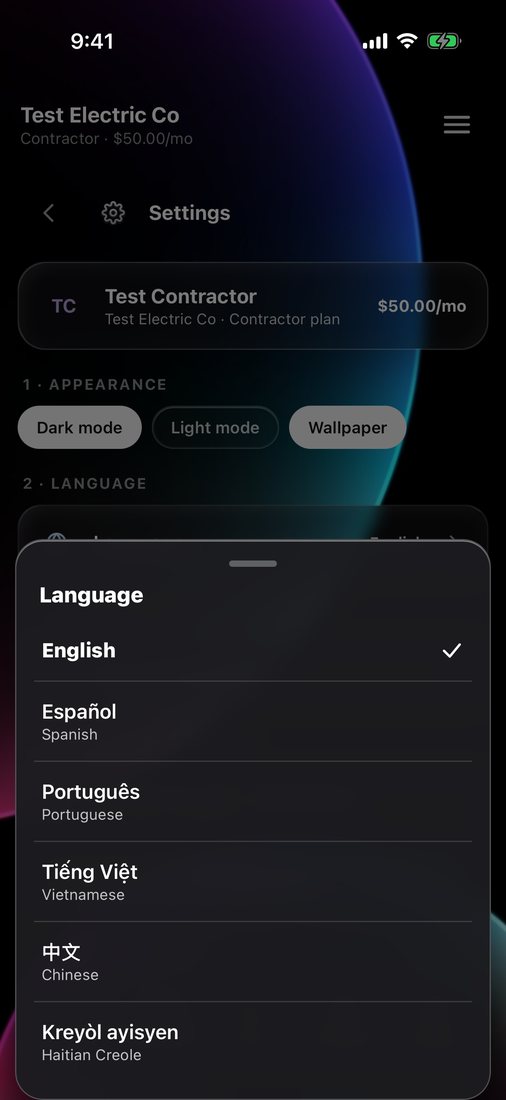
Twenty wallpapers — space, shapes and matte colors — under frosted-glass cards, or your own photo. And Selk speaks your crew’s language — English, Español, Português, Tiếng Việt, 中文 and Kreyòl ayisyen.

Wallpapers
Six languages

And everything else you'd expect.

📴

Works offline

No signal in the basement? Keep working — it syncs when you're back.

👥

Client history

Every client with notes, a star rating and all their jobs.

⚡️

Instant sync

Change something on one phone and the whole crew sees it in a second.

🌎

Speaks your language

English, Español, Português, Tiếng Việt, 中文 and Kreyòl ayisyen — for you and your crew.

🔒

Private by design

No live GPS tracking of your crew, no ads, and we never sell your data.

📥

Bring your clients

Import your customers and price list from a spreadsheet or your phone contacts — duplicates skipped.

📅

Your booking page

Customers request a job from your own link or QR code — it lands in New with a notification.

🛡️

Safe sign-in

A new phone needs a code from your email before it sees anything.

💬

Real support

Write to us from inside the app. A real person answers.

Pricing

Simple. No per-user surprises.

Every plan starts with 14 days free. Workers are always free.

Everything included. Every feature is in every plan — no add-ons, no surprise charges later. Plans only differ by how many workers you have.

Solo

$29/month
$19 for the first 100 companies
  • Just you
  • Jobs, estimates & invoices
  • Schedule, clients & van stock
Most popular

Contractor

$79/month
$49 for the first 100 companies
  • You + up to 5 workers
  • Free worker app
  • Hours, pay & time off

Contractor 10

$129/month
$89 for the first 100 companies
  • You + up to 10 workers
  • Everything in Contractor
  • Room to grow

Founding price: the first 100 companies keep their lower price for as long as they stay subscribed.

Subscriptions are billed by the App Store or Google Play. Coming soon to both stores.

Free invoice & estimate maker

Need one right now? Make it free.

Fill it in, then send it to your customer by text or email from your phone — or download the PDF on a computer. No sign-up, nothing uploaded.

Get Selk.

Download the app, create your account in a minute, and your 14-day free trial starts right away. No card needed to try.

Selk is in beta right now — coming soon to both stores.

Get early access

Leave your email and we'll send you the download link the day Selk launches — plus an invite to the beta.

“I built Selk on job sites, between panels and service calls. If it slows you down on a job, it's a bug — tell me.”

Electrician & founder, Houston